You now control who can access each part of your profile
A profile used to be public or members-only as a whole. We improved privacy controls such that each field now has its own audience.

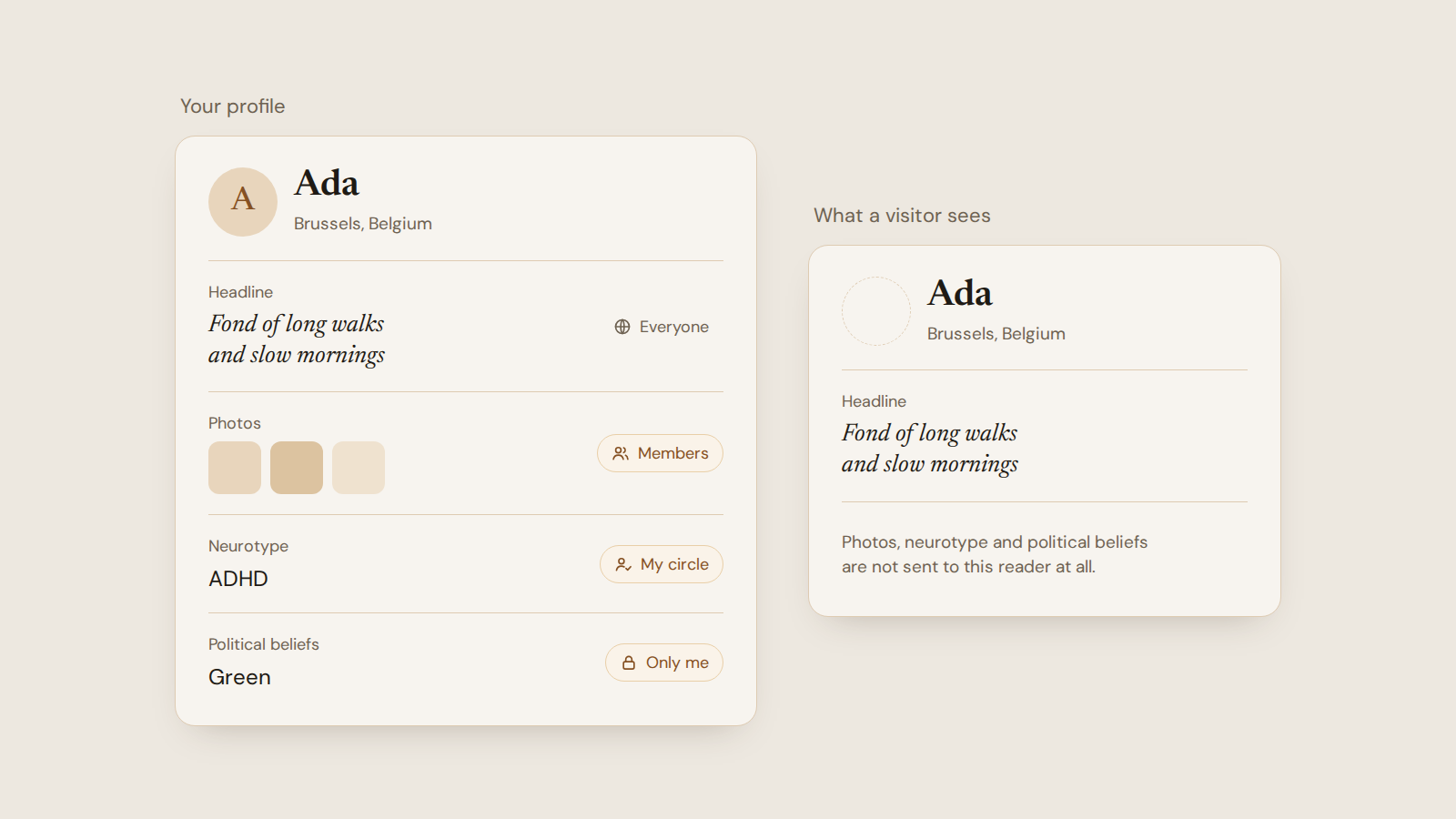
Until now a profile was all-or-nothing. It was either open to anyone on the web or limited to members, and that one switch covered your photos, your politics, your health answers and your bio alike. Someone happy to show their interests publicly but not their photos had to hide everything.
Each field now has its own setting. You will find it next to every field in the profile editor.
The four audiences
Everyone means anyone on the web, signed in or not, search engines included.
Members means people signed in to Compass.
My circle means only the members you have added to your circle, one at a time. More on that below.
Only me means nobody else.
The choice at the top of the profile form, Everyone or Members, is the default for every field you have not set yourself. A single field can be narrower than that default, or wider: a members-only profile can still show its headline to the open web.
Nothing changes for an existing profile until you change it.
Your circle
Some things are worth sharing with only a few people. Set those fields to My circle, then add the members you want.
It works one way. Adding someone shows them those fields and shows you nothing more of theirs. You can remove anyone at any time, and they are not told.
People can ask to join your circle, but only after you have written to them. Nobody can send you requests out of the blue, and ignoring a request is not reported back to the person who asked. In the other direction, you can add someone who asked, or someone you are already in a conversation with.
Checking what others see
On your own profile, open the three-dot menu and choose View as. You can look at your page as a visitor, as a member, or as someone in your circle. The preview is built from what the server would send that person, so it shows the same thing they would get.
What hiding a field does
A hidden field is not sent to the browser of anyone outside its audience. It is absent from the page, from the page source and from link previews.
A field you keep from members is also left out of search. Nobody finds you by filtering on it or by typing a keyword that only appears in it. You can still filter other people on any field they choose to show.
What stays public
Anything set to Everyone is public in the full sense. It can be indexed by search engines and copied by anyone. Narrowing it later removes it from Compass at once, but I cannot recall copies made elsewhere.
The privacy policy was rewritten for this release and spells out exactly who sees what.
Small change
"Disable profile" is now called Pause profile, and it moved to settings. It does what it did before: nobody can find or open your profile, your conversations stay, and you can resume whenever you like. The delete-account dialog now offers it too, for the times a break is what you want.